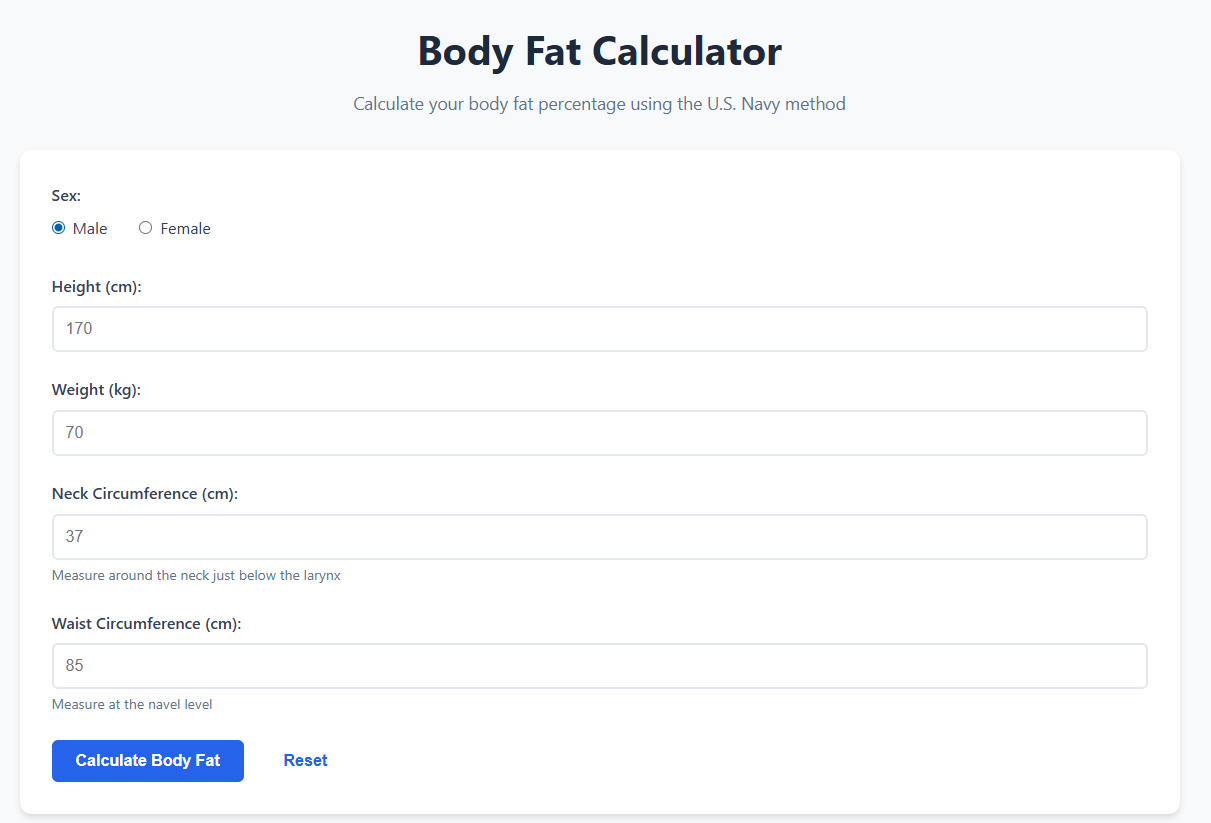
Body Fat Calculator

Calculate your body fat percentage using the U.S. Navy method

Measure around the neck just below the larynx
Measure at the navel level

Understanding Body Fat Percentage: Your Complete Guide to Body Composition

Step on a scale and you'll see a number. But that number doesn't tell you what you're actually made of. Are you carrying excess fat that might impact your health? Have you built solid muscle from all those gym sessions? The scale can't answer these questions—but body fat percentage can. This single metric tells you what proportion of your total weight comes from fat versus lean tissue like muscle, bone, and organs.

Understanding your body composition matters far more than knowing your total weight. Two people can weigh exactly the same but look completely different and have vastly different health profiles based on their muscle-to-fat ratios. That's why more doctors, trainers, and health-conscious individuals are paying attention to body fat percentage instead of just body weight or BMI.

What Is Body Fat Percentage?

Body fat percentage is simply the proportion of your total body weight that comes from fat tissue. If you weigh 150 pounds and have 20% body fat, that means 30 pounds is fat and 120 pounds is lean mass (muscle, bone, organs, water, and connective tissue). The calculation is straightforward: (fat mass ÷ total weight) × 100.

Not all body fat is created equal, though. Your body contains essential fat and storage fat. Essential fat is exactly what it sounds like—fat you need to survive. It's found in your brain, nerves, bone marrow, and organs. For men, essential fat is typically 2-5% of body weight; for women, it's 10-13% due to reproductive functions and hormonal requirements.

Storage fat accumulates beneath your skin (subcutaneous fat) and around your organs (visceral fat). Subcutaneous fat provides insulation and energy reserves. Visceral fat, however, is the problematic type—it's metabolically active and produces inflammatory compounds that increase disease risk. Unfortunately, you can't selectively measure or lose one type without the other, but overall body fat reduction decreases both.

The U.S. Navy Method Explained

Our calculator uses the U.S. Navy body fat formula, which was developed to provide reasonably accurate body fat estimates using only a measuring tape. No expensive equipment, no special facilities—just measurements of specific body parts that correlate well with overall body fat levels.

For men, the formula uses neck circumference, waist circumference, and height. The logic: men with larger waists relative to their necks typically carry more abdominal fat, while height helps normalize the measurements for body size. For women, the formula also includes hip circumference because women tend to store more fat in the hip and thigh region.

The formulas are logarithmic and complex, which is why a calculator helps. For men: body fat percentage = 86.010 × log10(waist - neck) - 70.041 × log10(height) + 36.76. For women, the calculation incorporates the hip measurement: body fat percentage = 163.205 × log10(waist + hip - neck) - 97.684 × log10(height) - 78.387.

How Accurate Is the Navy Method?

Compared to the gold standards like DEXA scans or hydrostatic weighing, the Navy method typically comes within 3-4 percentage points for most people. That's pretty good for a measurement you can take at home with just a tape measure. However, accuracy depends heavily on taking measurements correctly and consistently.

The method works best for people with typical fat distribution patterns. It can be less accurate for very lean individuals (under 10% body fat for men, under 20% for women) or those with unusual fat distribution. Athletes with heavily developed neck muscles might get higher readings than their actual body fat, while people who carry most of their fat in their thighs might get lower readings.

Even with these limitations, the Navy method is valuable for tracking changes over time. If you measure the same way each time and see your body fat percentage dropping, you know you're losing fat regardless of the absolute accuracy. The trend matters more than the precise number for most practical purposes.

Body Fat Categories and What They Mean

Body fat percentage categories differ significantly between men and women due to biological differences. Women naturally carry more fat for reproductive health and hormonal balance. Here's how the categories generally break down:

  • Essential Fat (Men: 2-5%, Women: 10-13%): The minimum fat needed for basic physiological functions. Staying at this level long-term is unsustainable and dangerous except for very brief periods in elite athletes.
  • Athletes (Men: 6-13%, Women: 14-20%): Typical for serious competitive athletes. Requires dedicated training and strict nutrition. Often difficult to maintain year-round for most people.
  • Fitness (Men: 14-17%, Women: 21-24%): Lean and healthy with visible muscle definition. Achievable and maintainable for active individuals with good nutrition habits.
  • Acceptable (Men: 18-24%, Women: 25-31%): Healthy range for most people. Lower disease risk compared to higher categories. May not have visible abs, but overall health markers are typically good.
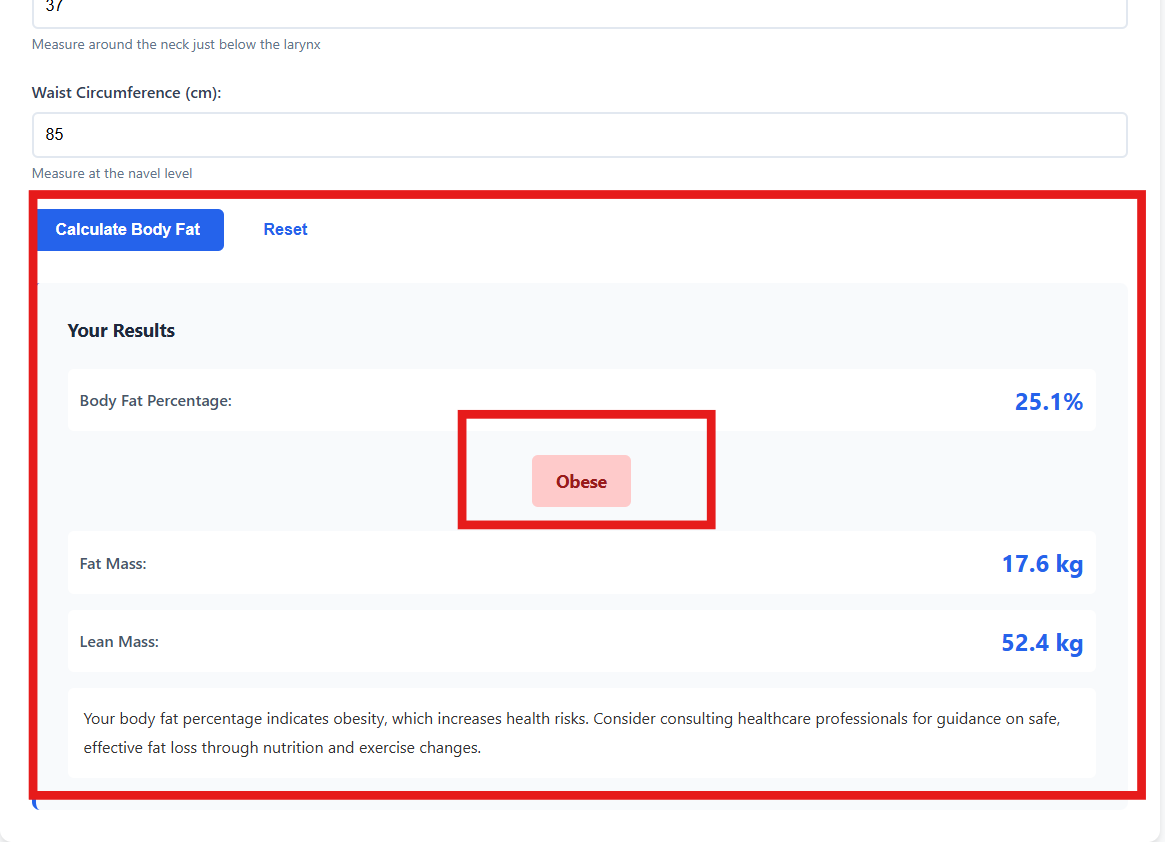
  • Obese (Men: 25%+, Women: 32%+): Elevated health risks including cardiovascular disease, diabetes, and metabolic syndrome. Benefits significantly from fat loss.

Why Body Fat Percentage Matters More Than Weight

Here's a scenario that plays out in gyms everywhere: someone starts strength training and eating better. After three months, they've only lost five pounds, and they're frustrated. But here's what actually happened—they lost 15 pounds of fat and gained 10 pounds of muscle. The scale barely budged, but they've transformed their body composition and health dramatically.

Muscle tissue is denser than fat, meaning it takes up less space even though it weighs more. Someone at 150 pounds with 15% body fat will look significantly leaner and more toned than someone at 150 pounds with 30% body fat. They'll also have better metabolic health, higher energy expenditure at rest, and greater functional strength.

This is exactly where BMI falls short. BMI can't distinguish between a muscular person and an overfat person of the same weight and height. A bodybuilder might be classified as "obese" by BMI while having only 8% body fat. Conversely, someone might have a "normal" BMI while carrying excess fat and minimal muscle—a condition sometimes called "skinny fat" or metabolically obese normal weight.

Healthy Body Fat Ranges

What's "healthy" depends on age, sex, genetics, and individual factors. For most adult men, 10-20% body fat represents a healthy range. This provides adequate energy reserves and hormone production without excessive disease risk. For women, 18-28% is generally considered healthy for the same reasons.

As you age, maintaining very low body fat becomes more challenging and potentially less beneficial. Some research suggests that moderately higher body fat (but still within healthy limits) might be protective for older adults, providing reserves during illness and helping maintain bone density. The extremes—very low or very high body fat—pose risks at any age.

It's also worth noting that healthy body fat percentage has some wiggle room. Someone at 16% body fat isn't necessarily healthier than someone at 22% if both maintain good nutrition, regular exercise, and healthy metabolic markers. The goal should be finding a sustainable level that supports your health and lifestyle rather than chasing an arbitrary "ideal" number.

How to Measure Body Fat at Home

To use the Navy method accurately, you need careful measurements. Use a flexible measuring tape (like tailors use) and measure directly against your skin, not over clothing. Take measurements at the same time of day, preferably in the morning before eating, as measurements can vary with hydration and food intake.

For neck measurement, measure around your neck just below the larynx (voice box), where your neck naturally narrows. Keep the tape snug but not tight—you should be able to slide one finger under it. Stand normally; don't stretch your neck or tilt your head.

Waist measurement for the Navy formula is taken at the navel level, at the end of a normal exhale. Don't suck in your stomach or push it out—just breathe normally and measure. This differs from the narrowest part of your waist, so make sure you're measuring at the right spot for accurate results.

Women also need hip measurement, taken at the widest point of the hips, usually over the buttocks. Stand with feet together and measure horizontally around the fullest part. Keep the tape parallel to the ground all the way around.

Real-World Examples of Body Fat Percentage

Let's look at Mark, a 40-year-old man who's 6 feet tall and weighs 200 pounds. If he has 25% body fat, that means he's carrying 50 pounds of fat and 150 pounds of lean mass. He might not look obviously overweight with clothes on, but he likely has a noticeable belly and limited muscle definition. His health risks are moderately elevated, and he'd benefit from losing fat.

Now consider Alex, also 6 feet and 200 pounds but with 12% body fat. He's carrying only 24 pounds of fat and 176 pounds of lean mass. He likely has visible abs, defined arms and shoulders, and can perform athletic activities with ease. Despite weighing the same as Mark, Alex looks completely different and has much better health markers.

For a woman, let's look at Sarah, 5'6" and 140 pounds at 35% body fat versus Jessica at the same height and weight but 22% body fat. Sarah carries 49 pounds of fat, while Jessica carries only 31 pounds. Jessica will appear leaner, wear smaller clothing sizes, and generally have better metabolic health despite identical weight and height. This perfectly illustrates why body composition matters more than the scale.

Losing Fat While Preserving Muscle

The goal isn't just to lose weight—it's to lose fat while maintaining or even building muscle. This requires a combination of moderate calorie deficit, high protein intake, and strength training. Our Calorie Calculator can help you determine the right calorie target for fat loss.

Protein is crucial. Aim for 0.7-1 gram per pound of body weight daily when trying to lose fat. This signals your body to preserve muscle tissue even in a calorie deficit. Without adequate protein, your body will break down muscle along with fat, leaving you weaker and with a slower metabolism.

Strength training provides the stimulus to maintain muscle. Your body won't keep muscle it doesn't think it needs, so you have to demonstrate need by regularly challenging those muscles. You don't need to spend hours in the gym—two to four weekly strength sessions hitting all major muscle groups is sufficient for most people.

The rate of fat loss matters too. Losing weight too quickly (more than 1-2% of body weight per week) almost guarantees muscle loss along with fat. Slow and steady wins this race—a moderate deficit of 300-750 calories below your maintenance level typically preserves muscle while still allowing steady fat loss.

Can You Spot Reduce Fat?

Here's the truth nobody wants to hear: you can't choose where you lose fat. Doing endless crunches won't specifically burn belly fat, just like arm exercises won't specifically eliminate arm fat. When you're in a calorie deficit, your body decides where to pull fat from based largely on genetics and hormone profiles.

Most people lose fat in the reverse order they gained it—the last place you gained fat tends to be the first place you lose it. For many men, belly fat is the last to go. For many women, hip and thigh fat is the most stubborn. This can be frustrating, but it's just biology. The solution is overall body fat reduction through consistent calorie deficit and exercise.

While you can't spot reduce, you can build muscle in specific areas through targeted strength training. This improves the appearance of those areas even before you've lost all the fat covering them. Building shoulder and back muscles, for instance, can create a more balanced physique even if your waist is still a work in progress.

Body Fat and Health Markers

Body fat percentage correlates strongly with metabolic health markers. As body fat increases, particularly visceral fat around the organs, you typically see increases in fasting blood sugar, insulin resistance, blood pressure, LDL cholesterol, and triglycerides. Conversely, you usually see decreases in HDL (good) cholesterol.

The good news? Even modest fat loss produces significant health improvements. Losing just 5-10% of your body weight often dramatically improves blood pressure, blood sugar control, and cholesterol levels. You don't need to reach 10% body fat to be healthy—moving from 35% to 30%, or from 28% to 24%, can transform your health markers.

Inflammation markers also improve with fat loss. Fat tissue, especially visceral fat, produces inflammatory compounds that contribute to chronic disease. As you reduce body fat, systemic inflammation typically decreases, which benefits cardiovascular health, joint health, and overall disease risk.

When to Worry About Low Body Fat

While high body fat gets most of the attention, very low body fat has risks too. For women, dropping below essential fat levels (under 10-13%) can disrupt menstrual cycles, impair bone health, and reduce hormone production. Some female athletes experience the "female athlete triad"—disordered eating, amenorrhea, and osteoporosis.

Men aren't immune to low body fat problems either. Dropping below 5% body fat typically requires extreme measures that most people can't sustain. Even bodybuilders only maintain these levels for brief periods around competitions. Chronic very low body fat can reduce testosterone, impair immune function, and increase injury risk.

If you're experiencing extreme fatigue, constant hunger, poor sleep, loss of sex drive, frequent illness, or for women, absent or irregular periods, your body fat might be too low. Health exists across a range of body fat levels—the goal is finding a sustainable sweet spot where you look and feel good while maintaining healthy physiological function.

Tracking Progress Effectively

Measure your body fat percentage monthly using the same method, at the same time of day, under similar conditions. Daily or weekly measurements aren't necessary and can show frustrating fluctuations from water retention and other factors. Monthly checks give you enough data to track trends without obsessing over minor variations.

Take progress photos alongside your measurements. Sometimes visual changes are apparent before the numbers shift significantly. Wear the same minimal clothing (or none) and photograph from front, side, and back in consistent lighting. Many people are shocked to see visual improvements even when measurements change only slightly.

Track performance metrics too. Are you getting stronger? Can you run faster or longer? Do you have more energy throughout the day? These functional improvements often appear before body composition changes and indicate you're heading in the right direction.

Combining Body Fat Data with Other Metrics

Body fat percentage is valuable but shouldn't be your only health metric. Combine it with BMI for a more complete picture—if both are in healthy ranges, you're probably in good shape. If BMI is high but body fat percentage is healthy, you're likely just muscular. If BMI is normal but body fat is high, you might benefit from muscle building and fat loss.

Waist circumference deserves special mention. Even if overall body fat is reasonable, excessive abdominal fat increases health risks. For most adults, a waist over 40 inches (men) or 35 inches (women) indicates elevated metabolic disease risk regardless of total body fat percentage.

Don't forget about how you actually feel and function. Bloodwork (glucose, cholesterol, etc.), blood pressure, resting heart rate, and overall energy levels all provide important health information that complements body composition data. The goal is comprehensive health, not just hitting specific body fat targets.

The Bottom Line on Body Fat Percentage

Body fat percentage gives you valuable insight that weight alone can't provide. It tells you what you're actually made of, helps you set realistic body composition goals, and provides feedback on whether your diet and exercise program is working. Combined with our other tools like the Calorie Calculator and BMI Calculator, you get a comprehensive view of your health status.

Use the Navy method to establish a baseline, then track changes over time. Focus on trends rather than absolute precision. Pair body fat measurement with progress photos, strength gains, and how your clothes fit for the most complete picture of your body transformation.

Remember, there's no single "ideal" body fat percentage for everyone. Healthy body composition exists across a range, and the best target is one you can maintain while living a balanced, enjoyable life. Use body fat percentage as information to guide your choices, not as a judgment of your worth or an obsession. Health is multidimensional, and body composition is just one piece of the puzzle.

Complete Your Health Assessment

Use our other calculators for a full picture of your health:

Body Fat Percentage FAQ

What's a healthy body fat percentage?

For men, 10-20% is generally healthy; for women, 18-28%. Athletes may be leaner, while slightly higher percentages can still be healthy if you're otherwise active and healthy. The key is finding a sustainable level that supports your health and lifestyle.

Can I trust home body fat measurements?

The Navy method provides reasonable estimates (typically within 3-4% of DEXA scans) when measurements are taken carefully. While not perfectly accurate, it's excellent for tracking changes over time, which matters more than absolute precision for most people.

How long does it take to lose body fat?

Healthy fat loss is typically 1-2 pounds per week. Since muscle and water weight fluctuate, actual body fat percentage might only drop 1-2% per month even with consistent effort. Patience and consistency are key to sustainable results.

Why is my body fat percentage high even though I'm not heavy?

You might have low muscle mass relative to fat (sometimes called "skinny fat"). This happens when people don't exercise regularly or focus only on cardio without strength training. Building muscle through resistance training improves body composition even without weight loss.

Do women naturally have higher body fat than men?

Yes, women naturally carry 7-10% more body fat than men due to reproductive hormones and physiological needs. Essential fat for women is 10-13% compared to 2-5% for men. This is normal and healthy, not something that needs to be "fixed."

Can body fat percentage be too low?

Absolutely. Very low body fat impairs hormone production, bone health, immune function, and energy levels. For women, dropping below 10-13% can stop menstrual cycles. Even competitive athletes only maintain extreme leanness temporarily. Sustainable health requires adequate body fat.