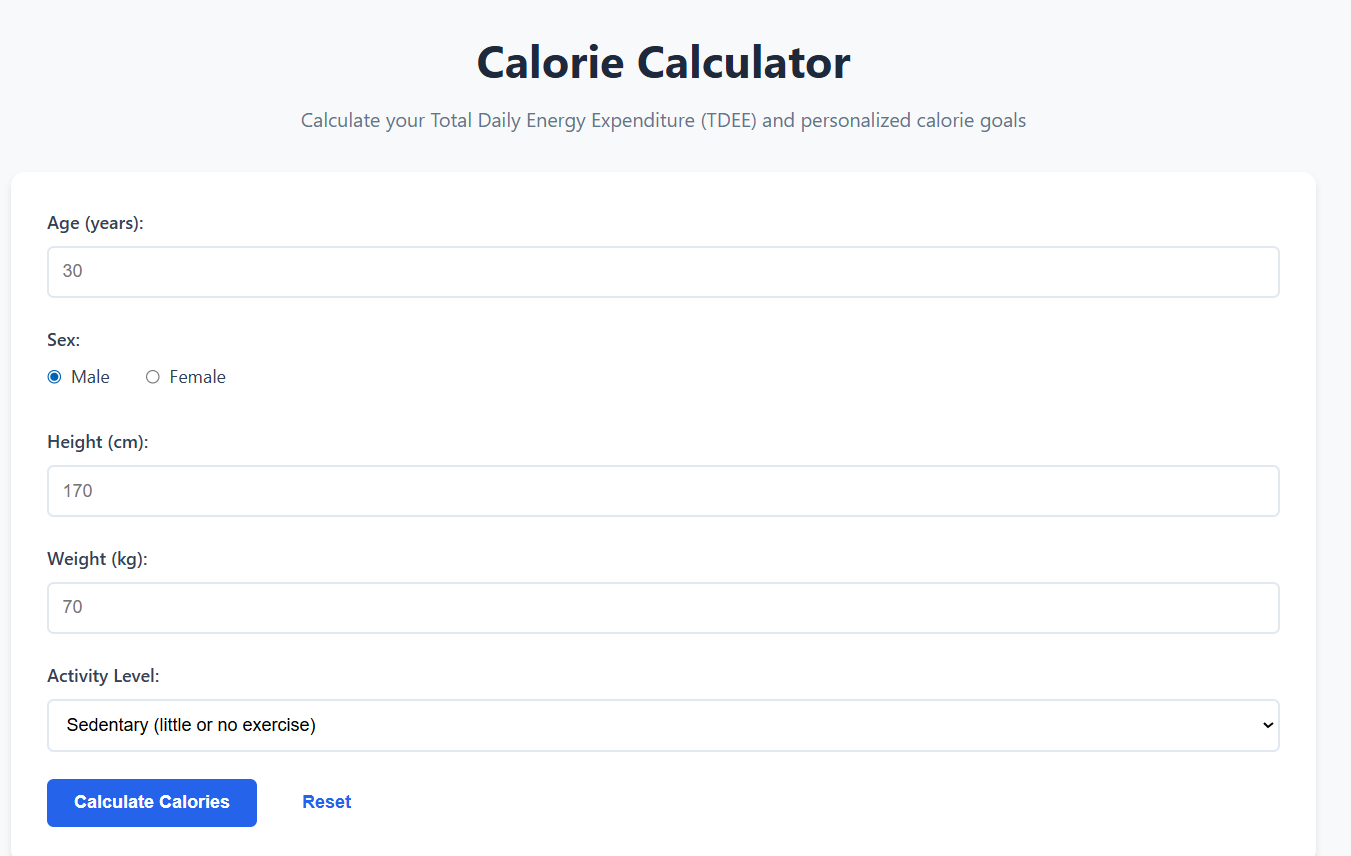
Calorie Calculator

Calculate your Total Daily Energy Expenditure (TDEE) and personalized calorie goals

Your Complete Guide to Calorie Calculation: Understanding TDEE, BMR, and Energy Balance

If you've ever tried to lose weight, gain muscle, or simply understand how much you should be eating, you've probably stumbled across conflicting advice. Some sources tell you to eat 1200 calories, others say 2000, and still others insist that calories don't even matter. Let's cut through the noise and explain exactly how to calculate your calorie needs based on solid science.

The truth is that calories absolutely do matter—they're simply units of energy, like gallons of gas for a car. Your body needs a certain amount of energy every day to function, and understanding that number gives you incredible power over your weight and body composition. Our Calorie Calculator uses the scientifically validated Mifflin-St Jeor equation to give you personalized estimates of your energy needs.

What Are BMR and TDEE?

Before we dive deeper, let's define two critical terms that often get confused. Your BMR (Basal Metabolic Rate) is the number of calories your body burns just to stay alive if you were to lie in bed all day doing absolutely nothing. This energy fuels your heartbeat, breathing, body temperature regulation, brain function, and all the other automatic processes keeping you alive.

Your TDEE (Total Daily Energy Expenditure) is your BMR multiplied by an activity factor to account for all the movement and exercise you do throughout the day. This is the number that matters for real-world calorie planning. If you eat exactly your TDEE in calories every day, your weight should remain stable over time.

The difference between these two numbers can be substantial. Someone with a BMR of 1500 calories might have a TDEE of 1800 (if sedentary) or 2600 (if very active). That's a 44% difference based solely on activity level, which explains why generic calorie recommendations rarely work—they don't account for your individual lifestyle.

How the Mifflin-St Jeor Equation Works

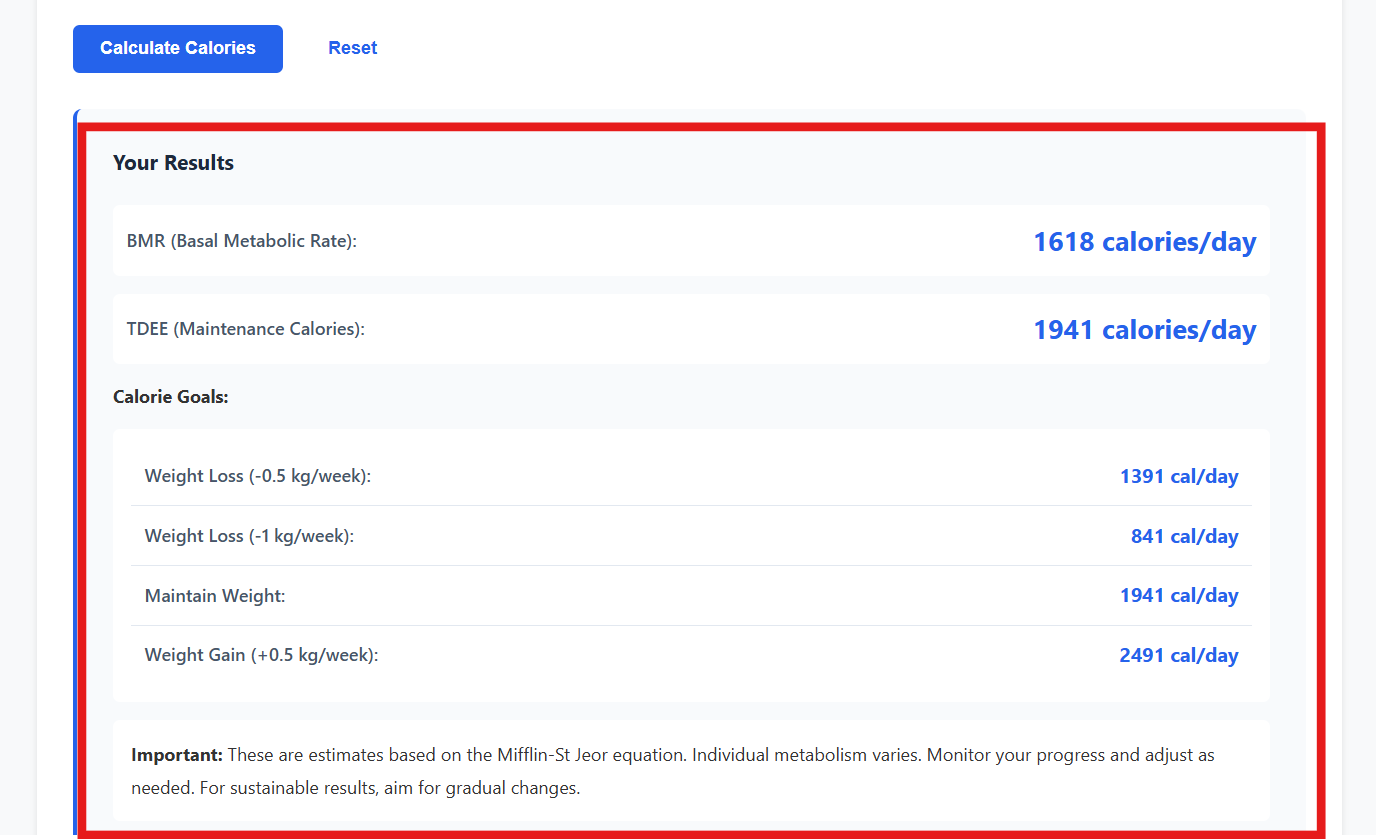
Our calculator uses the Mifflin-St Jeor equation, which research has shown to be more accurate than older formulas like the Harris-Benedict equation. For men, the formula is: (10 × weight in kg) + (6.25 × height in cm) - (5 × age) + 5. For women, it's the same except you subtract 161 instead of adding 5.

Notice what factors into this equation: weight, height, age, and sex. Heavier people burn more calories because they have more tissue to maintain. Taller people burn more for similar reasons. Younger people burn more because metabolism gradually slows with age. And men typically burn more than women of the same size because they generally have more muscle mass.

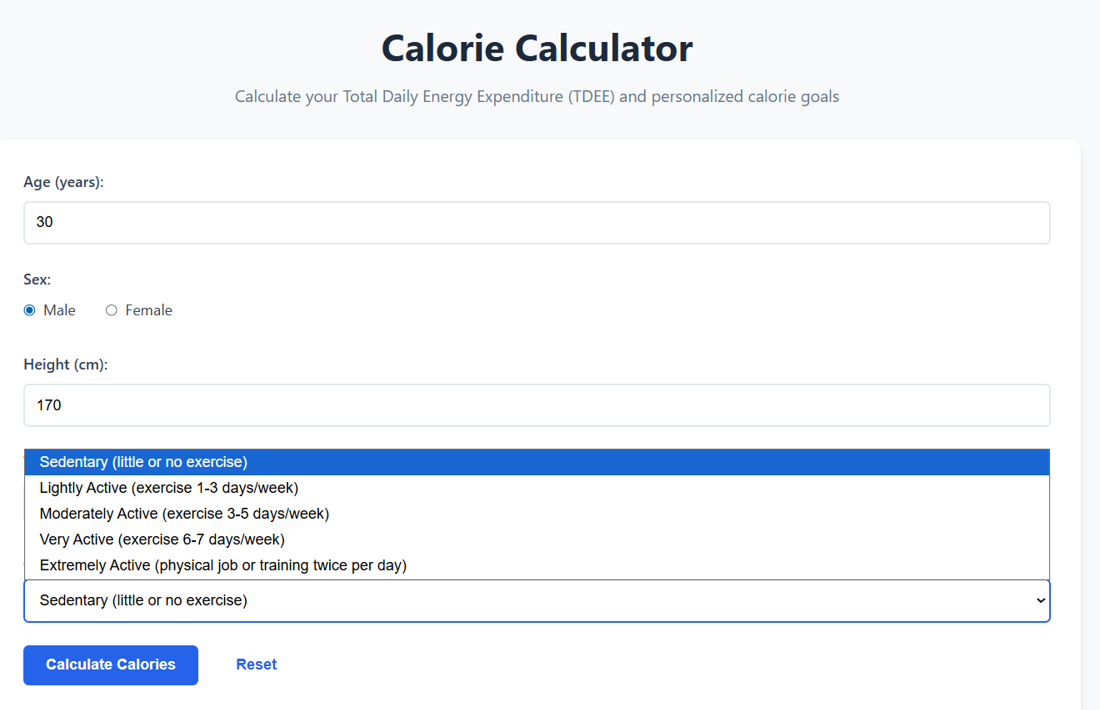
After calculating your BMR, we multiply it by your activity factor. Sedentary gets 1.2, lightly active gets 1.375, moderately active gets 1.55, very active gets 1.725, and extremely active gets 1.9. Be honest when selecting your activity level—most people overestimate here, which leads to eating more than they actually need.

Understanding Energy Balance

Here's the fundamental principle that underlies all weight management: energy balance. When you consume more calories than you burn, your body stores the excess energy as fat (and some as glycogen in your muscles and liver). When you consume fewer calories than you burn, your body taps into stored energy to make up the difference.

One pound of body fat represents approximately 3,500 calories of stored energy. So to lose one pound per week, you'd need to create a calorie deficit of 500 calories per day (500 × 7 = 3,500). To lose half a pound per week, you'd need a 250-calorie daily deficit. This is why our calculator shows you specific calorie targets for different weight loss rates.

The same principle works in reverse for weight gain. A surplus of 250-500 calories per day, combined with strength training, can support muscle growth. Go much higher than that, and most of the extra weight will be fat rather than muscle, even if you're lifting weights.

Choosing the Right Calorie Target for Your Goals

Weight loss doesn't require extreme deprivation. In fact, aggressive calorie restriction often backfires. When you cut calories too drastically, your body responds by reducing metabolic rate, increasing hunger hormones, and breaking down muscle tissue for energy. You might lose weight quickly at first, but it's often unsustainable and unhealthy.

For most people, a deficit of 300-750 calories below TDEE works well. This translates to about 0.5 to 1.5 pounds of fat loss per week, depending on your starting weight. Heavier individuals can safely lose weight faster, while lighter individuals should target slower rates. Aim to lose no more than 1% of your body weight per week.

If your goal is muscle gain, you'll need a calorie surplus, but it should be modest. An extra 200-500 calories above your TDEE, combined with progressive strength training and adequate protein (around 0.7-1 gram per pound of body weight), creates optimal conditions for building muscle without excessive fat gain.

Why One-Size-Fits-All Calorie Advice Fails

You've probably seen generic recommendations like "women should eat 2000 calories" or "men need 2500 calories." These numbers are population averages—they don't account for your individual height, weight, age, or activity level. A 5'2" sedentary woman and a 6'0" active woman have vastly different energy needs, yet generic advice treats them the same.

This is exactly why personalized calculation matters. A 30-year-old man who's 5'10", weighs 180 pounds, and exercises regularly might have a TDEE around 2,600 calories. A 50-year-old man of the same height and weight who's sedentary might only need 2,100 calories. That's a 500-calorie difference—enough to cause significant unintended weight gain or loss if you're following the wrong target.

Even for the same person, calorie needs change over time. As you lose weight, your BMR decreases (there's less body mass to maintain), so you need to recalculate periodically. This is one reason weight loss often slows down even when you're doing everything "right"—you're eating the right amount for your old weight, not your new, lighter weight.

The Role of Macronutrients

Total calories matter most for weight management, but the source of those calories affects body composition, hunger, energy levels, and health. The three macronutrients—protein, carbohydrates, and fat—each serve different purposes and provide different amounts of energy per gram.

Protein provides 4 calories per gram and is crucial for maintaining muscle mass, especially when you're in a calorie deficit. Aim for about 0.7-1 gram per pound of body weight if you're active or trying to lose fat while preserving muscle. Good sources include chicken, fish, lean beef, eggs, Greek yogurt, and legumes.

Carbohydrates also provide 4 calories per gram and are your body's preferred fuel source, especially for high-intensity exercise. Despite what some diet gurus claim, carbs aren't inherently fattening—excess calories are fattening. Focus on whole food sources like vegetables, fruits, whole grains, and legumes rather than refined sugars and white flour.

Dietary fat provides 9 calories per gram—more than twice the calories of protein or carbs. This doesn't make fat "bad," though. You need fat for hormone production, vitamin absorption, brain health, and satiety. Include sources like olive oil, avocados, nuts, seeds, and fatty fish while keeping portions reasonable since the calories add up quickly.

Common Calorie Counting Mistakes

Even with accurate calorie targets, people often struggle because they're not actually eating what they think they're eating. Research consistently shows that most people underestimate their calorie intake by 20-50%, sometimes even more. It's not intentional dishonesty—portion sizes are genuinely hard to estimate without measuring.

Cooking oils are a huge hidden source of calories. A tablespoon of olive oil contains about 120 calories, and if you're eyeballing it, you might easily use two or three tablespoons without realizing it. That's 240-360 calories that people often don't account for. Similarly, condiments, dressings, and beverages can add hundreds of untracked calories.

Restaurant meals present another challenge. Even "healthy" restaurant options often contain far more calories than home-cooked versions due to added butter, oil, and larger portions. That grilled chicken salad might clock in at 800 calories once you factor in the dressing, cheese, and croutons. When eating out regularly, you might be consuming substantially more than your calorie target without realizing it.

Do You Need to Count Calories Forever?

Here's the good news: calorie counting is a learning tool, not necessarily a lifelong requirement. After tracking your food for a few months, most people develop an intuitive sense of appropriate portion sizes and can estimate reasonably well without constant tracking. The process educates you about which foods are calorie-dense and which are more filling for fewer calories.

That said, some people benefit from continued tracking, at least periodically. Even experienced trackers can experience "portion creep," where servings gradually increase over time. Weighing and logging food for a week every few months can recalibrate your portions and keep you on track without requiring daily monitoring.

Others prefer the structure and accountability of ongoing tracking. There's no shame in that—if it works for you and doesn't create an unhealthy relationship with food, then it's a valid approach. The key is finding a sustainable balance between awareness and obsession.

Metabolic Adaptation and Plateaus

Here's a frustrating reality about weight loss: your metabolism adapts. As you lose weight, your BMR decreases because you have less body mass to maintain. But beyond that expected decrease, your body may also become more metabolically efficient, burning fewer calories for the same activities. This adaptive thermogenesis is your body's attempt to conserve energy during what it perceives as a period of scarcity.

This is why many people hit plateaus after several months of successful weight loss. You're eating the right amount for continued loss based on calculations, but your actual metabolic rate has decreased more than the formulas predict. The solution usually involves either reducing calories further (if you're still eating a reasonable amount), increasing activity, or taking a diet break.

Diet breaks—periods of eating at maintenance calories for 1-2 weeks—can actually help long-term weight loss. They give you a psychological and physiological break from restriction, may partially reverse metabolic adaptation, and make the overall process more sustainable. After a break, you can resume your calorie deficit feeling more energized and motivated.

Adjusting for Real-World Results

Remember, calculators provide estimates, not gospel truth. Individual metabolism varies based on genetics, thyroid function, NEAT (non-exercise activity thermogenesis), and other factors that formulas can't capture. The real test is whether the calculated numbers produce the results you expect.

Track your weight weekly (same day, same time, same conditions) and calculate a weekly average to smooth out daily fluctuations from water retention, digestion, and other factors. After 3-4 weeks, you should see a clear trend. If you're not losing, gaining, or maintaining weight as expected, adjust your calorie intake by 100-200 calories and reassess after another 3-4 weeks.

For example, if the calculator says you need 2,000 calories to lose weight but you've been eating that amount for a month with no change, your actual TDEE is probably closer to 2,000 (making that your maintenance, not your deficit). Try reducing to 1,700-1,800 and see if that creates the deficit you need.

The Importance of Protein

This deserves its own section because protein is absolutely critical when you're in a calorie deficit. Your body can use protein for energy if needed, but it's primarily a building and repair material for muscle, enzymes, hormones, and immune cells. When calories are restricted, your body will break down tissue for energy—the question is whether that tissue is primarily fat or a mix of fat and muscle.

High protein intake signals your body to preserve muscle mass even during weight loss. Studies show that people eating 0.7-1 gram of protein per pound of body weight while in a calorie deficit lose significantly more fat and less muscle compared to those eating lower protein amounts, even when total calories are identical.

Protein is also the most satiating macronutrient, meaning it keeps you fuller longer. A breakfast with 30 grams of protein will control hunger better than a breakfast with 10 grams, even if the calories are the same. This can make sticking to your calorie target much easier without relying purely on willpower.

Exercise and Calorie Needs

Exercise affects your calorie needs through multiple pathways. The most obvious is the calories burned during the activity itself—a 30-minute run might burn 300 calories, for instance. But exercise also builds muscle over time, and muscle tissue burns more calories at rest than fat tissue does, slightly increasing your BMR.

Perhaps more importantly, exercise (especially strength training) creates a powerful signal for your body to preserve muscle during weight loss. Even in a calorie deficit, your body will preferentially burn fat and spare muscle if you're regularly challenging that muscle with resistance training. This is why people who combine diet with exercise end up leaner and more toned than those who diet alone.

When factoring exercise into your calorie calculations, be conservative. Fitness trackers and gym machines often significantly overestimate calories burned. If your tracker says you burned 500 calories, it might actually be 300-350. This is why the "activity level" approach in our calculator often works better than trying to add back specific exercise calories.

Special Considerations and When to Seek Help

Certain populations need modified approaches to calorie calculation. Growing teenagers have higher energy needs than adults of the same size. Pregnant and breastfeeding women need substantial additional calories (typically 300-500 extra per day, depending on trimester or milk production). Standard calculators don't apply to these groups—consult healthcare providers for appropriate guidance.

If you have a medical condition like diabetes, thyroid disorders, PCOS, or are taking medications that affect appetite or metabolism, work with your doctor or a registered dietitian. These conditions can significantly impact your energy needs and how your body responds to different calorie levels and macronutrient ratios.

People with a history of eating disorders should approach calorie counting cautiously. For some, tracking provides helpful structure; for others, it reinforces unhealthy obsessions with food and numbers. If calorie tracking triggers anxiety, guilt, or disordered eating patterns, consider alternative approaches like intuitive eating under professional guidance.

Combining Calorie Awareness with Other Health Metrics

Calories are important, but they're just one piece of the health puzzle. Use our other tools to get a complete picture. Check your BMI to see if your weight is in a healthy range for your height. Use the Body Fat Calculator to understand your body composition beyond just weight.

Pay attention to how you feel—energy levels, sleep quality, mood, athletic performance, and hunger levels all provide important feedback. If you're hitting your calorie targets but feeling exhausted, constantly hungry, or your gym performance is tanking, something needs adjustment. Maybe you need more carbs, more total calories, or different meal timing.

Regular health markers matter too. Get annual checkups that include blood pressure, fasting blood sugar, and cholesterol. Many people see dramatic improvements in these markers with even modest weight loss and improved nutrition, regardless of whether they've reached their goal weight. A 10% reduction in body weight often produces substantial health benefits.

Making It Sustainable

The best calorie target is one you can actually maintain long enough to reach your goals. A 1,200-calorie diet might produce faster weight loss on paper, but if it leaves you so hungry and miserable that you quit after three weeks, it's useless. A more moderate 1,800-calorie approach might take longer but actually succeeds because you can stick with it.

Build in flexibility. If you have a higher-calorie meal or day, it's not a failure—it's just life. You don't need to be perfect every single day. What matters is your average intake over weeks and months, not whether you hit your exact target every single day. One 3,000-calorie day in a week of otherwise appropriate eating won't derail your progress.

Focus on foods you actually enjoy that also support your goals. Sustainable nutrition isn't about eating plain chicken breast and steamed broccoli for every meal—it's about finding satisfying, nutritious foods that fit your calorie targets. Experiment with different cuisines, cooking methods, and recipes. Make the process enjoyable rather than punitive.

The Bottom Line

Understanding your calorie needs empowers you to make informed decisions about your diet and weight. Our Calorie Calculator provides a scientifically backed starting point, but remember that it's an estimate. Your actual needs might be slightly higher or lower, and they'll change as your weight and activity level change.

Use the calculated number as a starting point, track your real-world results, and adjust as needed. Combine calorie awareness with attention to food quality, adequate protein, regular exercise, and other healthy habits. And remember, the goal isn't just weight on a scale—it's feeling good, performing well, and supporting your long-term health.

Get the Complete Picture

Combine calorie tracking with our other health calculators:

Calorie Calculator FAQ

How accurate is the calorie calculator?

The Mifflin-St Jeor equation is considered one of the most accurate formulas available and works well for most people. However, individual metabolism varies by about 10-15%, so treat the results as a starting point and adjust based on real-world results.

Should I eat back exercise calories?

The TDEE calculation already includes your general activity level, so you typically shouldn't eat back exercise calories. If you do exceptionally long or intense workouts (2+ hours), you might need a small amount of additional fuel, but be conservative—calorie burn is usually overestimated.

Can I lose weight faster by eating less?

While larger deficits create faster weight loss initially, they're harder to maintain and often lead to muscle loss, metabolic slowdown, and rebound weight gain. Aim for 0.5-1% of body weight lost per week for sustainable results.

Why am I not losing weight even though I'm eating less than my TDEE?

Common reasons include underestimating calorie intake (portions are bigger than you think), overestimating activity level, water retention masking fat loss, or metabolic adaptation. Track carefully for 4 weeks—if still no progress, reduce calories by 100-200 and reassess.

Do I need to count calories to lose weight?

Not necessarily. Some people successfully lose weight through portion control, intuitive eating, or other strategies. However, calorie awareness—even if not precise tracking—helps most people understand energy balance and make better food choices.

How often should I recalculate my calorie needs?

Recalculate every time you lose or gain 10+ pounds, when your activity level changes significantly, or every 1-2 months during active weight loss. As you get lighter, you need fewer calories to maintain your new weight.